Audio dhikr reminders
Choose from built-in dhikr recordings and let the app play them automatically on your schedule.
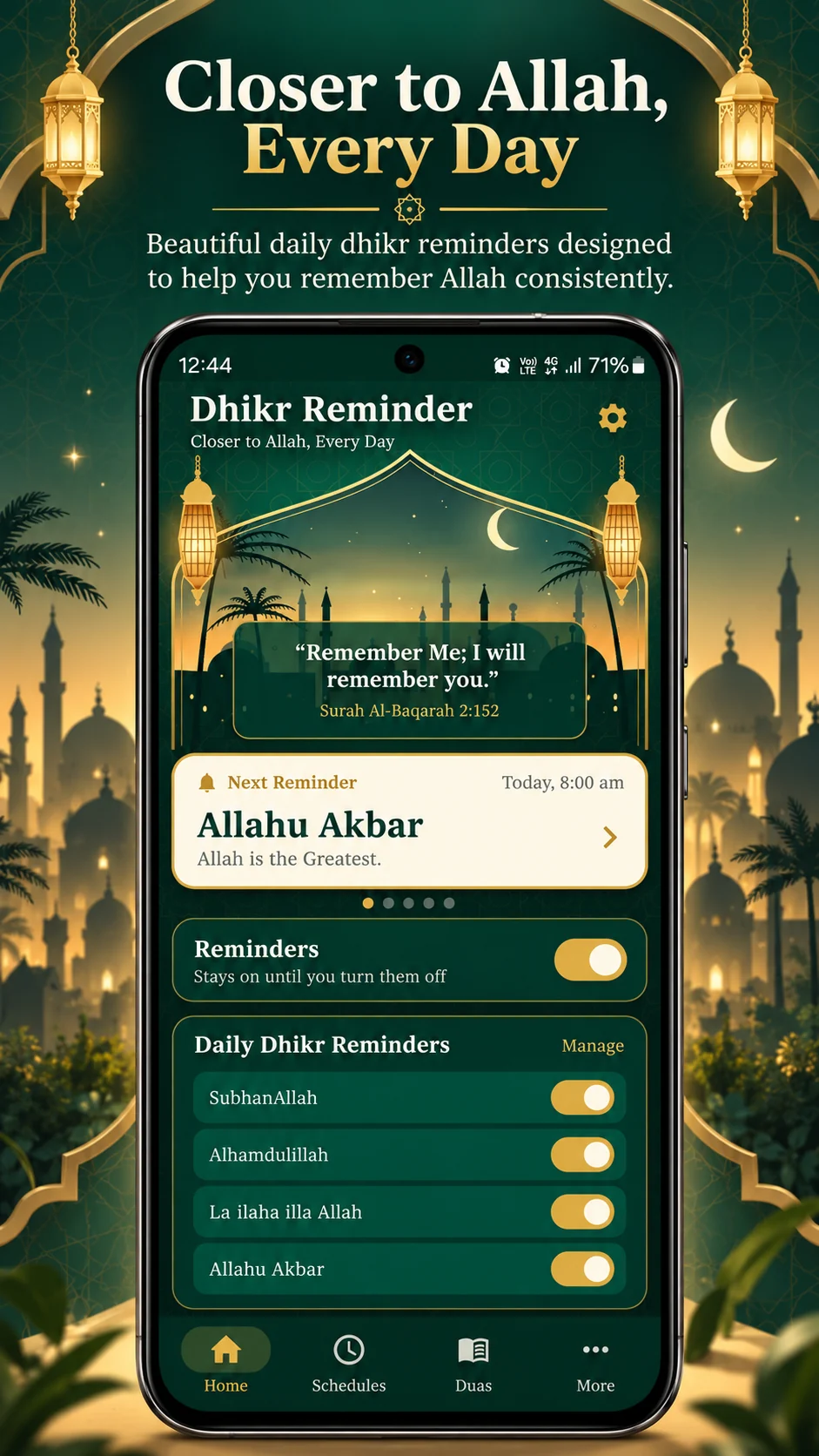
Closer to Allah, every day
Set custom audio or text adhkar reminders, create multiple schedules, browse Hisnul Muslim and keep count with a built-in tasbeeh counter — all in one distraction-free Android app.
App video
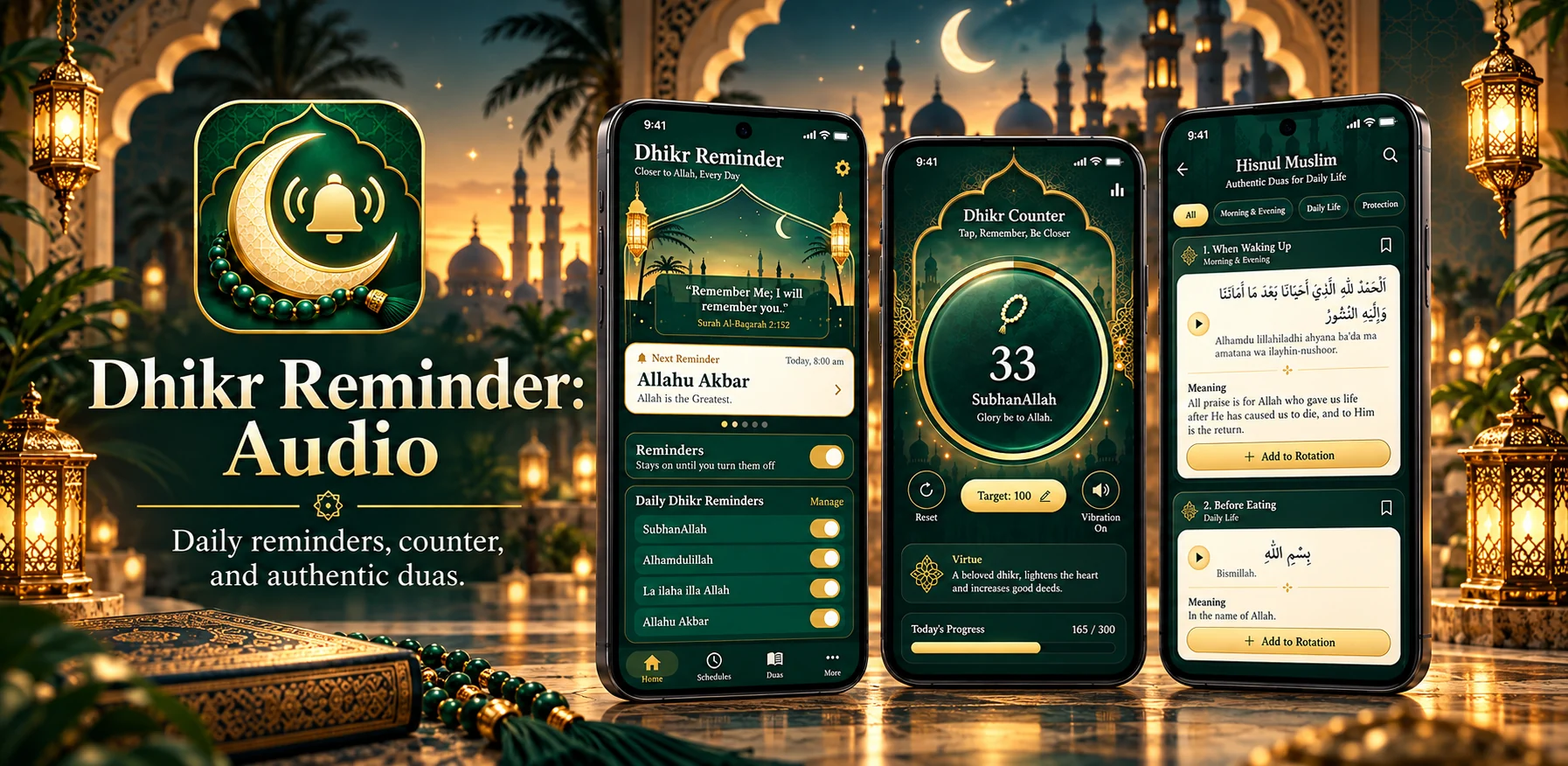
See the redesigned app, schedules, audio library, Hisnul Muslim and tasbeeh counter before you download.
This 9:16 promo uses the same mobile format as the app itself, so you can see how the main screens and features fit together.
One app, your routine
Instead of forcing one schedule or one reminder type, Dhikr Reminder: Audio lets you build the routine that works for you.
Choose from built-in dhikr recordings and let the app play them automatically on your schedule.
Create morning, workday, evening or any other schedule with its own hours, days, interval and rotation.
Use Arabic, transliteration and English meaning in notifications — ideal when audio is not appropriate.
When your phone is silent, vibrating or you’re on a call, the app avoids unwanted audio and can fall back to text.
Browse Fortress of the Muslim duas and adhkar with Arabic, transliteration and English meanings.
Add your own text or audio dhikr and include them in the schedules and rotations you choose.
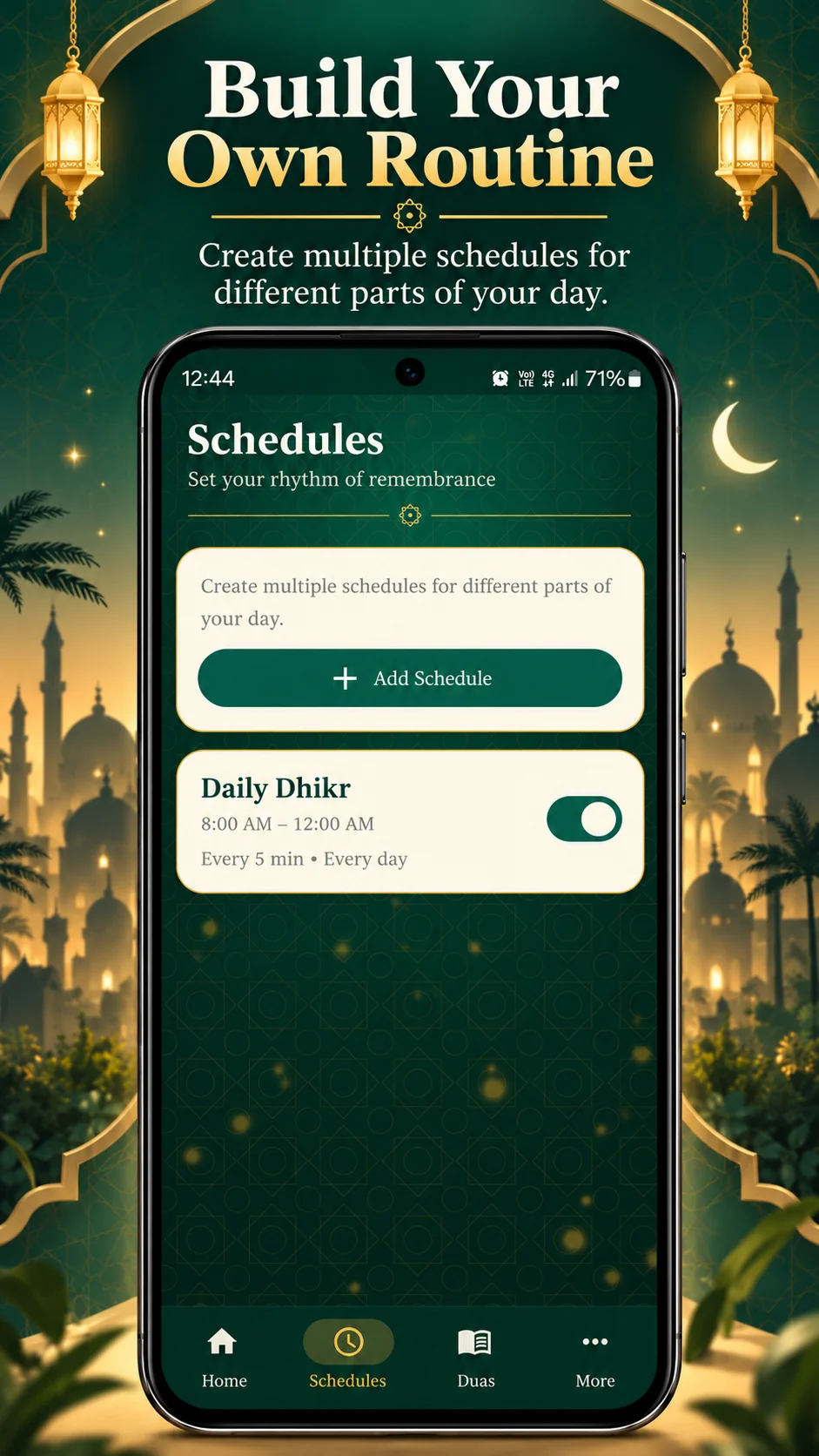
Custom schedules
Create as many schedules as you need, then fine-tune when they run and what they include.
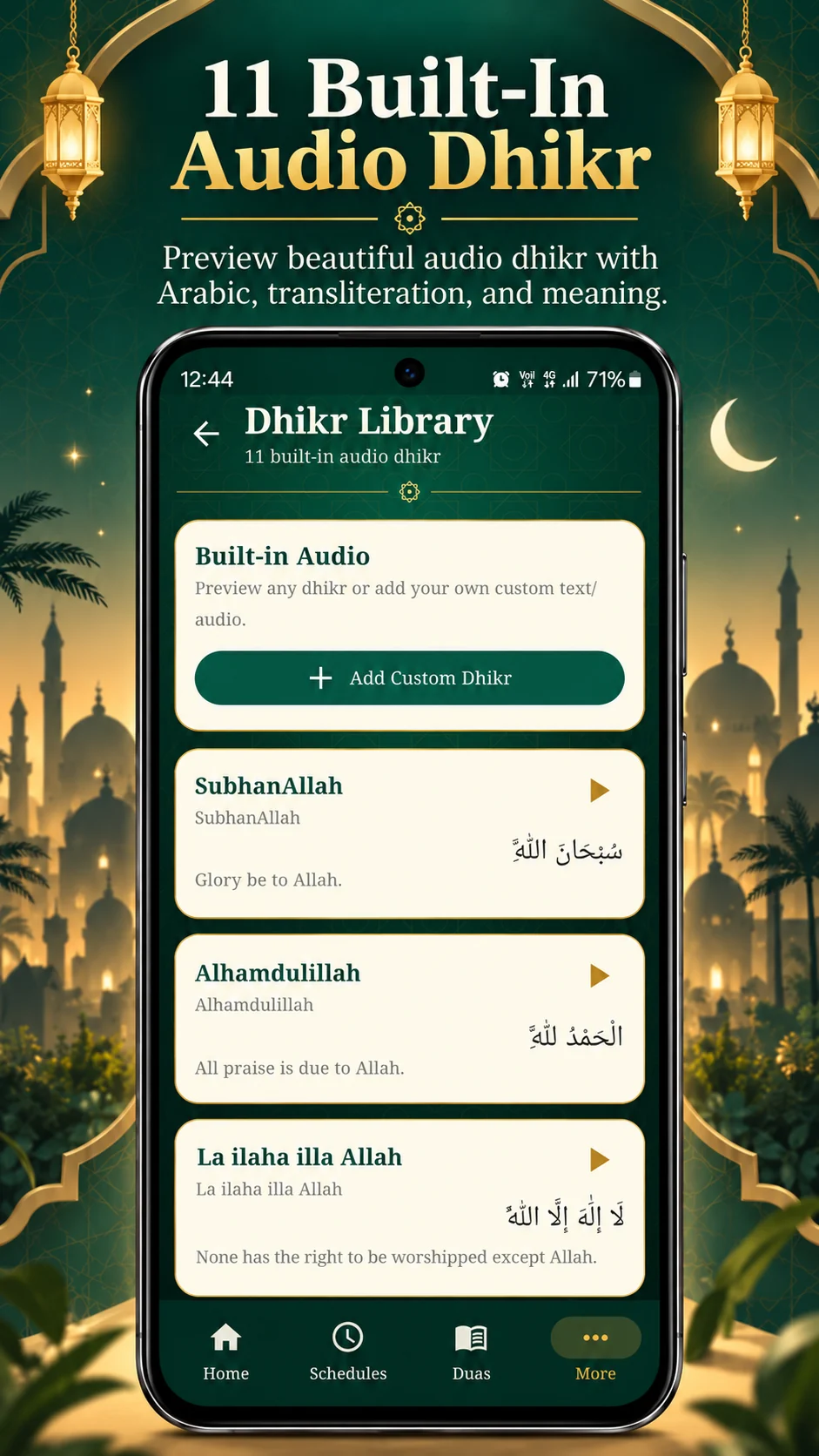
Audio + text
Preview the built-in audio library, choose what enters your rotation and switch between audio, text and vibration modes depending on your environment.
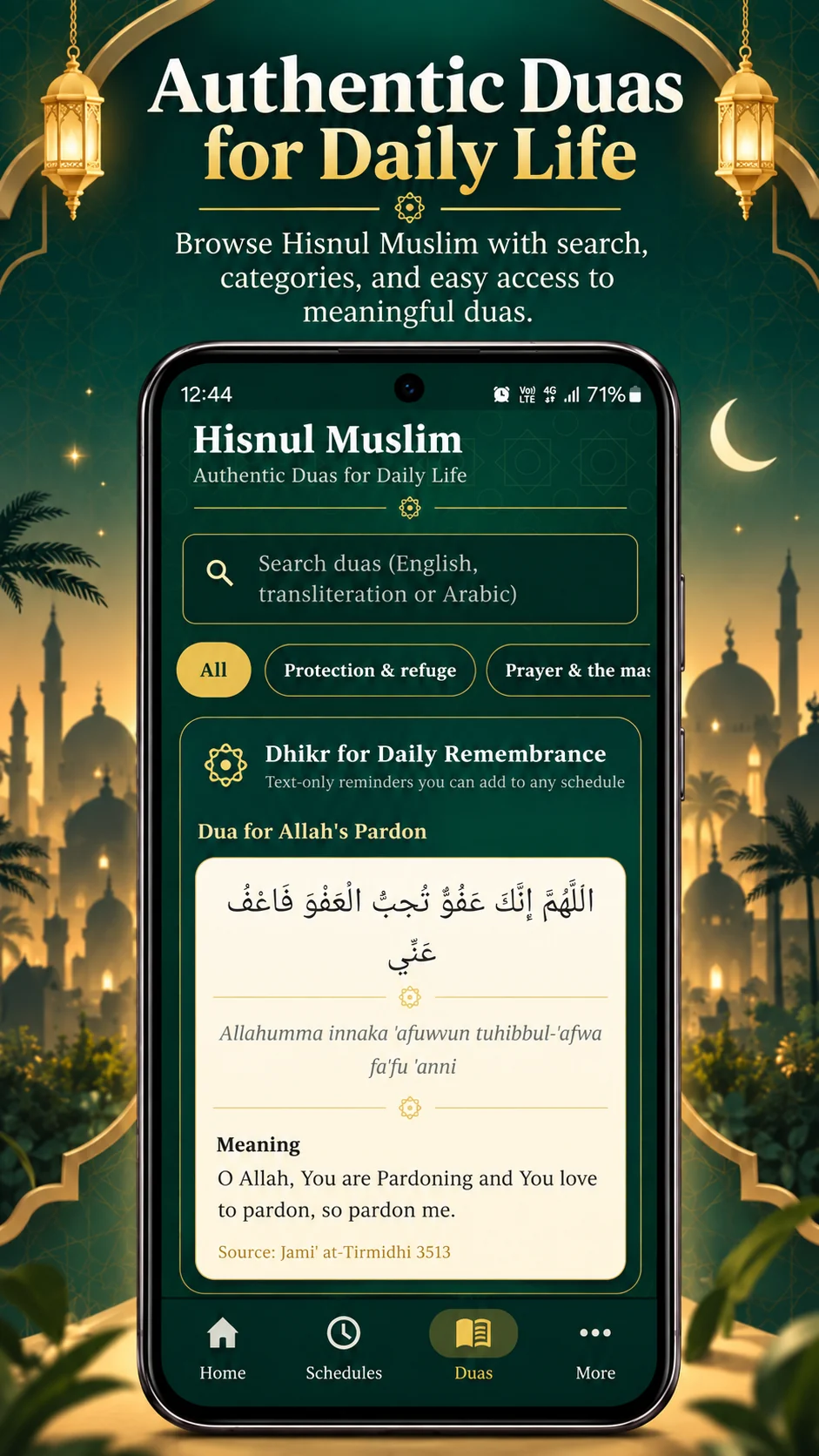
Hisnul Muslim
Browse Hisnul Muslim (Fortress of the Muslim) with Arabic text, transliteration and English meaning. Add selected entries to your schedules as text reminders.
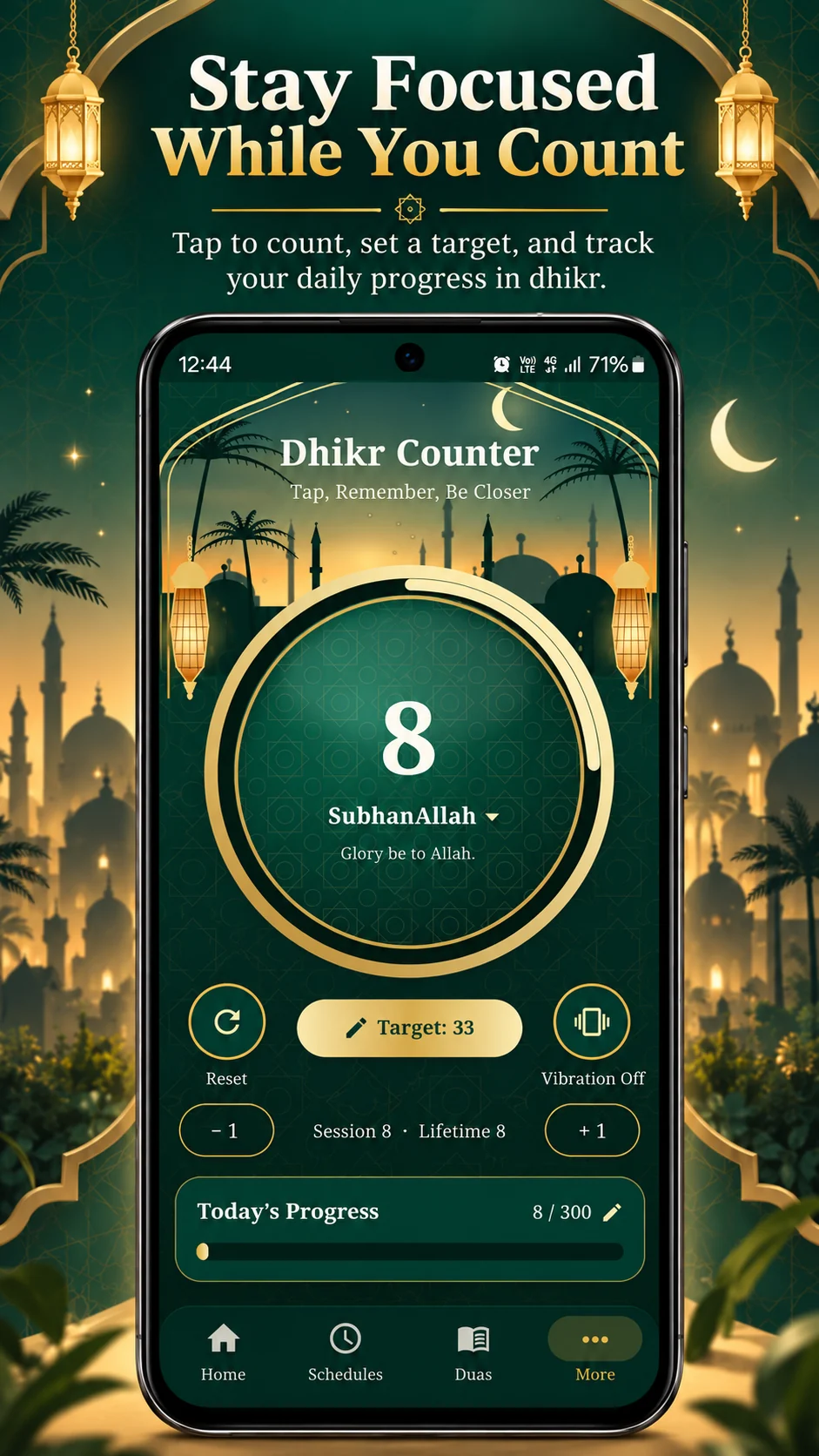
Tasbeeh counter
A clean digital tasbeeh counter is built into the app, so you can keep your dhikr and your counting in the same place.
Designed for real life
The app can suppress audio when your phone is silent, vibrating or in a call, while text reminders remain available when appropriate.
Inside the app
These are the same app screens shown on the official Google Play listing.
Private by design
The Google Play Data safety section declares that Dhikr Reminder: Audio does not collect data and does not share data with third parties.
FAQ
Yes. Built-in audio, reminder schedules, Hisnul Muslim and the tasbeeh counter can be used without an internet connection.
Yes. You can create multiple schedules with different active hours, days, reminder intervals, dhikr selections and reminder modes.
The app is designed to avoid unwanted audio in silent/vibrate mode and during calls. Text reminders can be used instead where appropriate.
Yes. Add your own custom dhikr with a title and optional Arabic, transliteration, English meaning and audio, then include it in your schedules.
Hisnul Muslim, also known as Fortress of the Muslim, is a well-known collection of daily duas and adhkar. The app presents entries with Arabic, transliteration and English meaning.
Yes. The built-in counter supports selectable dhikr, fixed targets such as 33 and 100, custom targets, session totals and a saved lifetime total.
No. Dhikr Reminder: Audio is ad-free.
The current release is for Android and is available through Google Play.
Free on Android
Download Dhikr Reminder: Audio and build a reminder routine that fits naturally into your day.
Get it onGoogle Play